
Add an Extra Layer of Security to ClientExec Logins
Strengthen your ClientExec security with mandatory one-time e-mail verification codes. The Email Login Token plugin protects both client and staff accounts from unauthorized access—without adding unnecessary complexity.
Why This Plugin?
Passwords alone are no longer enough.
Phishing attacks, credential leaks, and shared logins put both your business and your clients at risk.
The Email Login Token plugin adds a simple but powerful second layer of protection by requiring a unique, one-time code sent to the user’s e-mail address after every login.
Key Features
? Mandatory Extra Security
Enforces a one-time e-mail verification token after the standard password login.
?? Protect Staff & Admin Logins
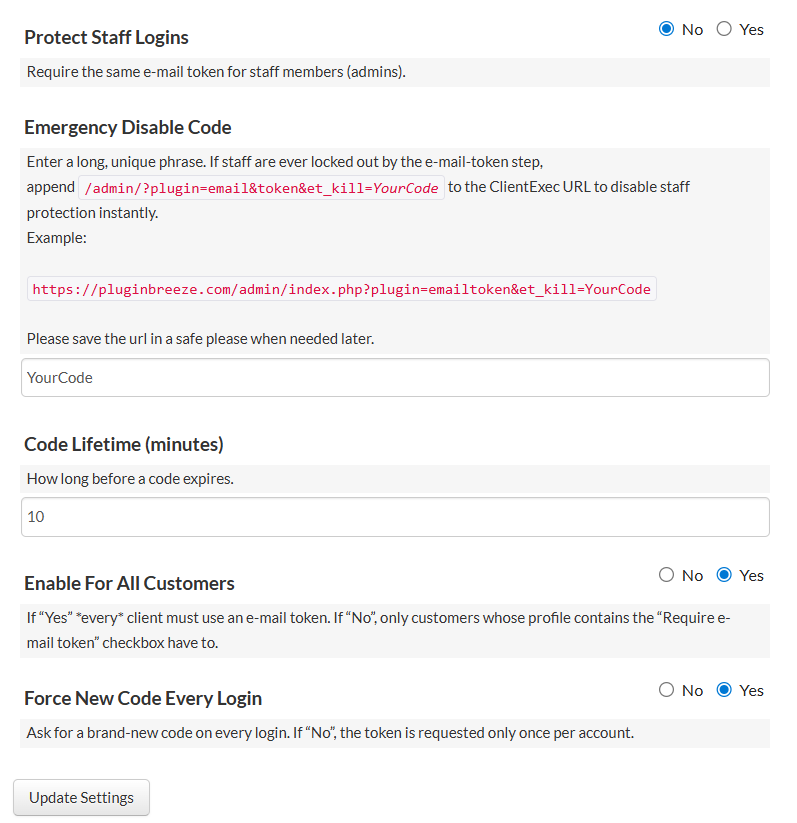
Optionally require tokens for all admin and staff accounts to secure your control panel.
⏱ Configurable Code Lifetime
Choose how long a verification code remains valid (default: 10 minutes).
? New Code on Every Login
Ensure maximum protection by generating a fresh code each time a user signs in.
? Flexible Client Control
Apply the feature globally to all clients, or allow individual users to opt in via their profile.
? Localized E-mails
Verification codes are sent in the user’s preferred language, with automatic English fallback.
? Emergency Kill Switch
Instantly disable staff token enforcement via a secure kill URL in case of lockouts.
How It Works
- The user logs in using their ClientExec e-mail and password.
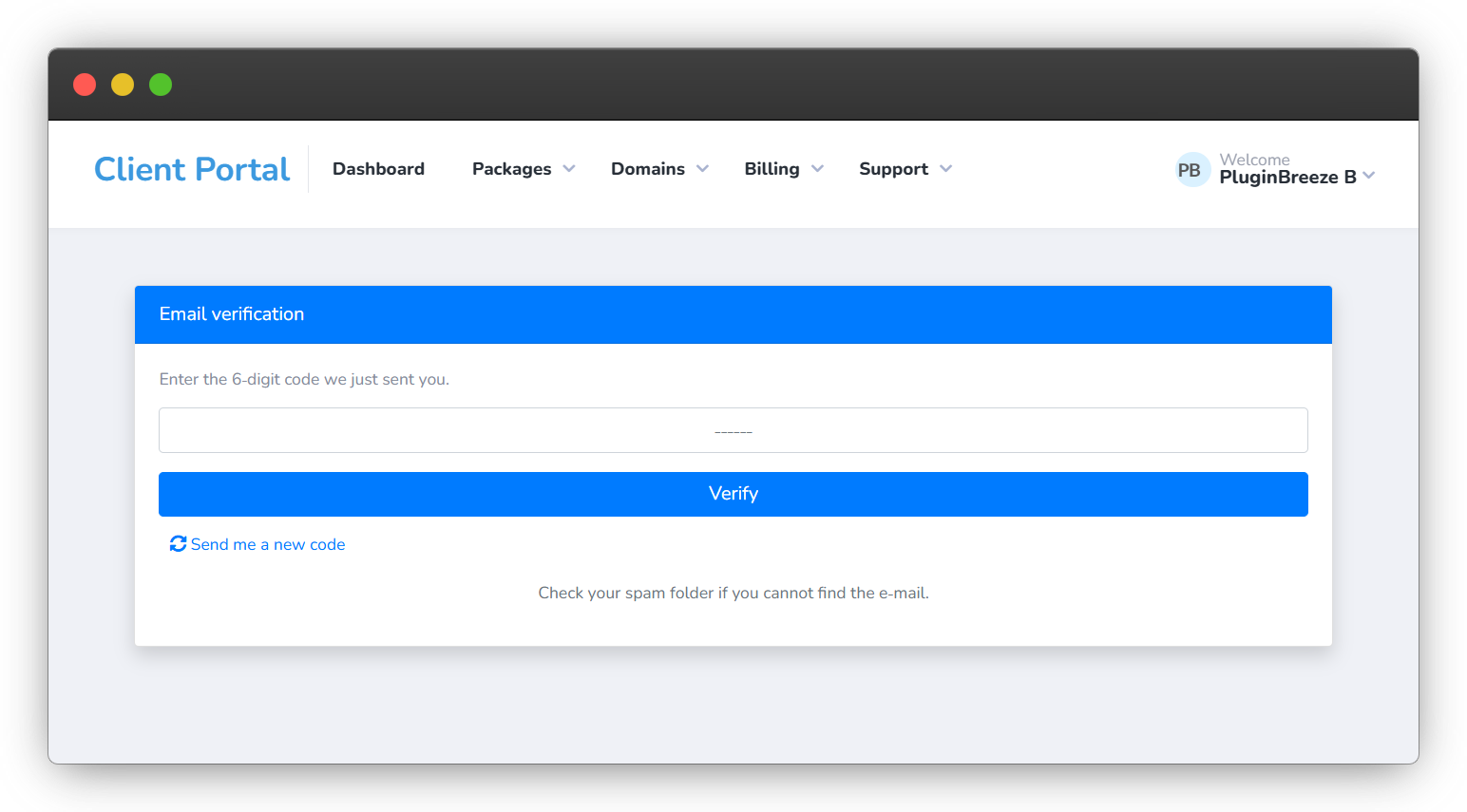
- They are prompted to enter a 6-digit verification code.
- The code is sent instantly to their registered e-mail address.
- Once verified, full access to the client or admin area is granted.
Pricing
$49.95
Do I need a license key?
Yes. You’ll receive a license key from PluginBreeze.com to activate the plugin.
Does this protect admin logins too?
Yes. You can enable staff/admin protection from the plugin settings.
Can I change how long codes last?
Absolutely. Set your preferred token lifetime in minutes.
How are codes delivered?
All codes are sent instantly to the user’s e-mail.
What if staff are locked out?
The emergency kill switch URL lets you instantly disable protection and regain access.
Please note
- Plugin Source Code is Encoded with Ioncube
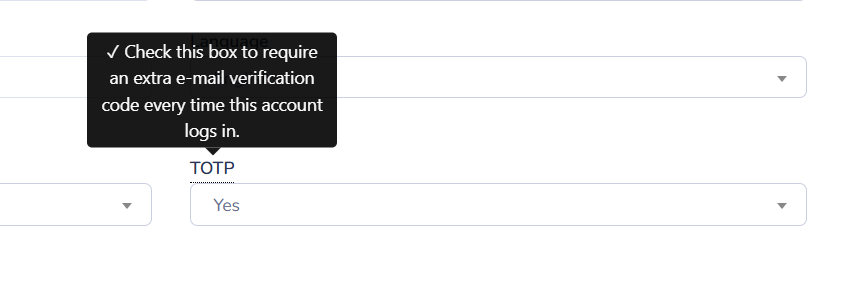
User profile setting, in here the user can enable or disable TOTP setting in their profile page.